Sending from your own number
Recipients see the phone number of your SIM card, so they can reply or call back. Dual SIM phones send from the card you choose.
Install the Calisero Gateway app on an Android phone and the messages of your Calisero account leave from its own SIM card, while the SMS it receives come back to your account.
Launching soon
Create your Calisero account now and we will let you know by email the day the Android app becomes available.
No new integration: the phone simply becomes the route your messages leave on.
Install Calisero Gateway on an Android phone with an active SIM card and sign in with your Calisero account, two-step verification included.
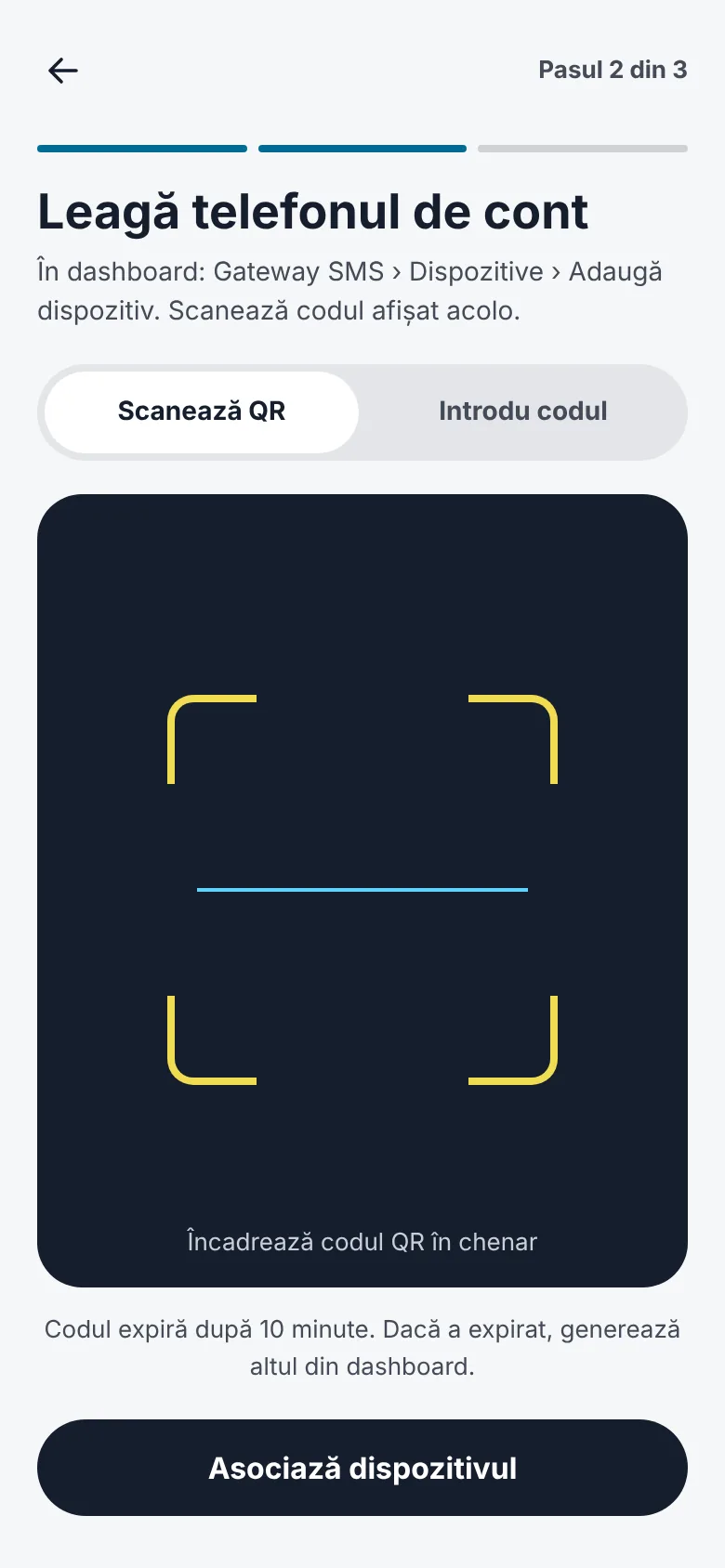
In the dashboard, open SMS Gateway › Devices › Add device and scan the QR code with the phone, or type the 8-character code.
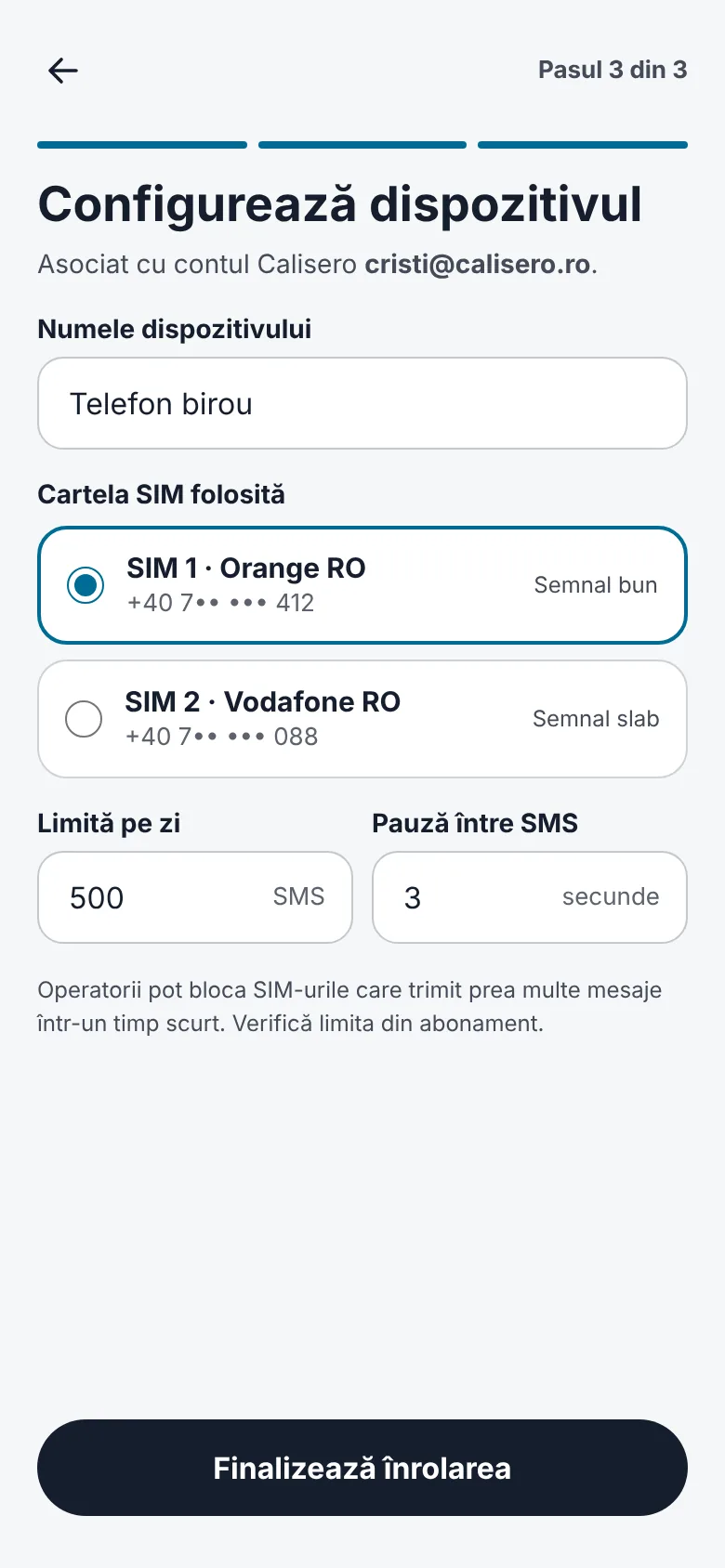
Name the device, pick the SIM card it sends from and set how many SMS it may send a day and the pause between two messages.
The messages you send through Calisero leave from the phone in seconds, and their statuses come back to your account as they change.
Calisero Gateway
Seventeen screens that cover setup, daily use and the moments when something goes wrong.
From the first screen to a phone ready to send, in three steps.
Start
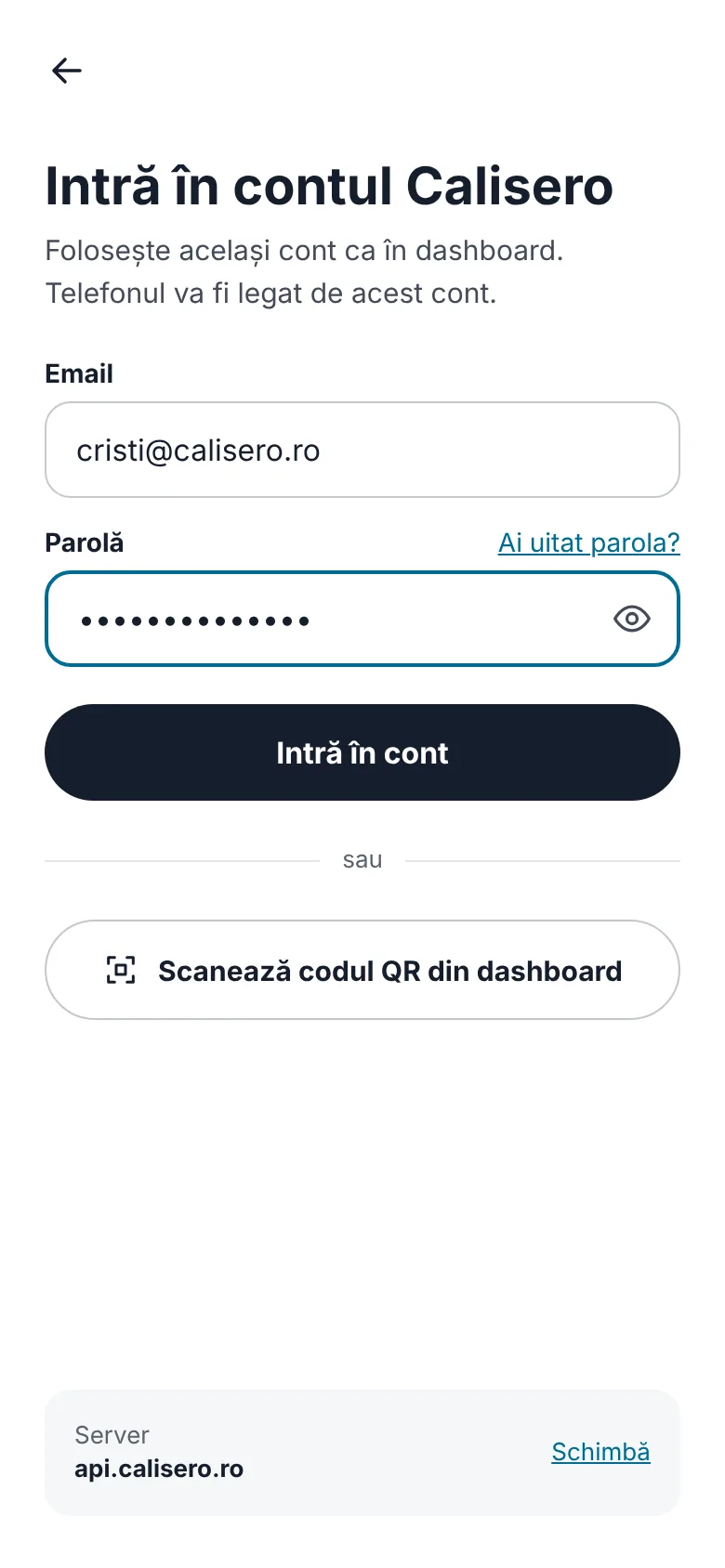
Sign in to your Calisero account
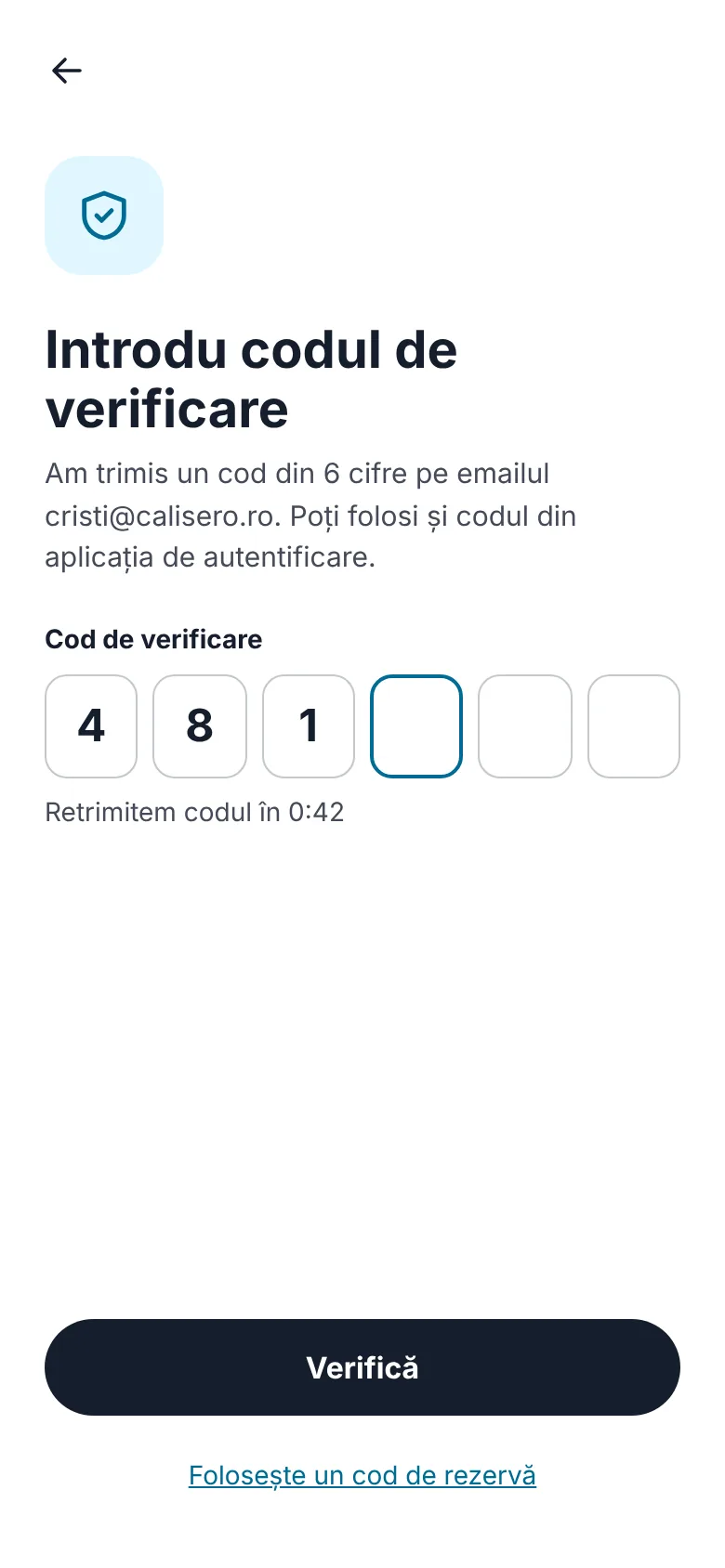
Two-step verification
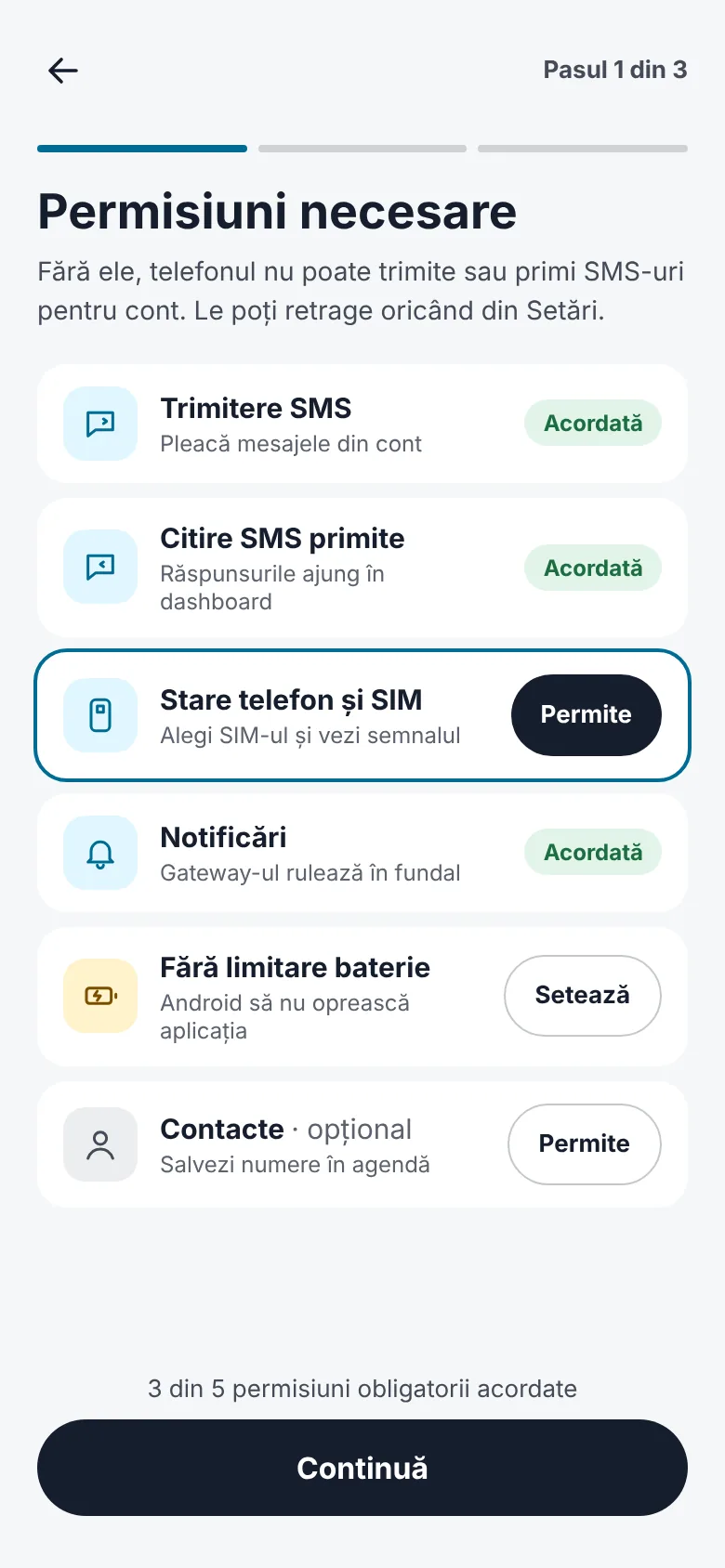
Permissions, with their live status
Pairing by QR code or code
Name, SIM card and limits
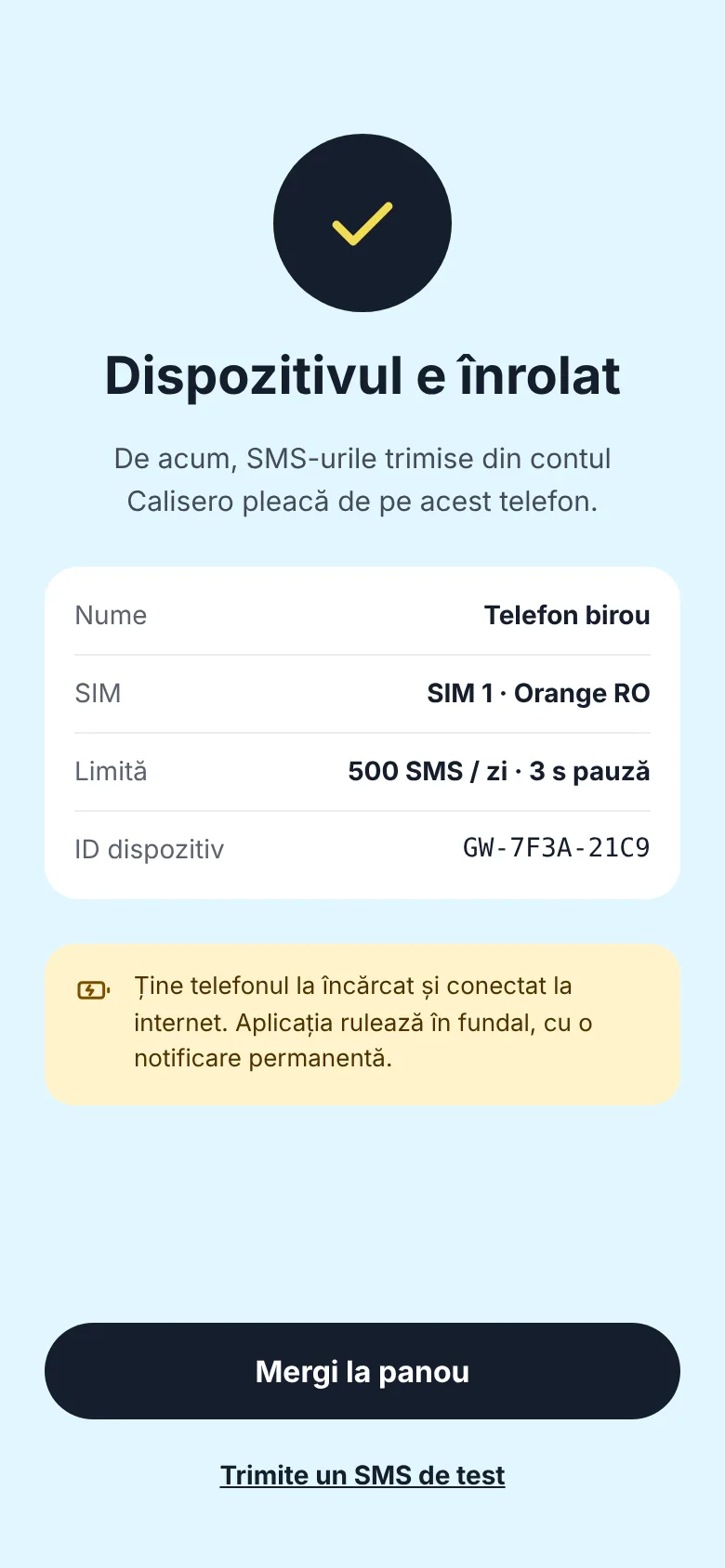
Device enrolled
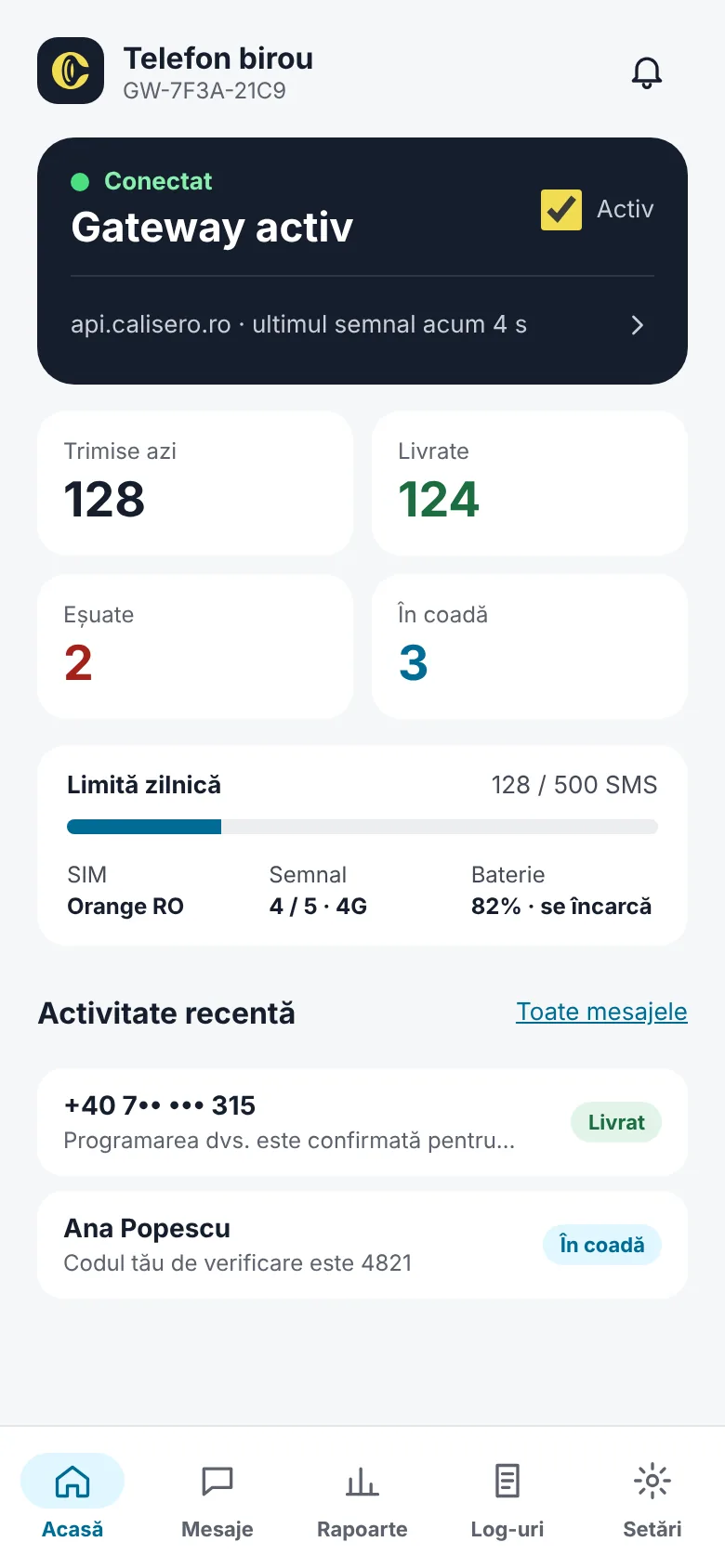
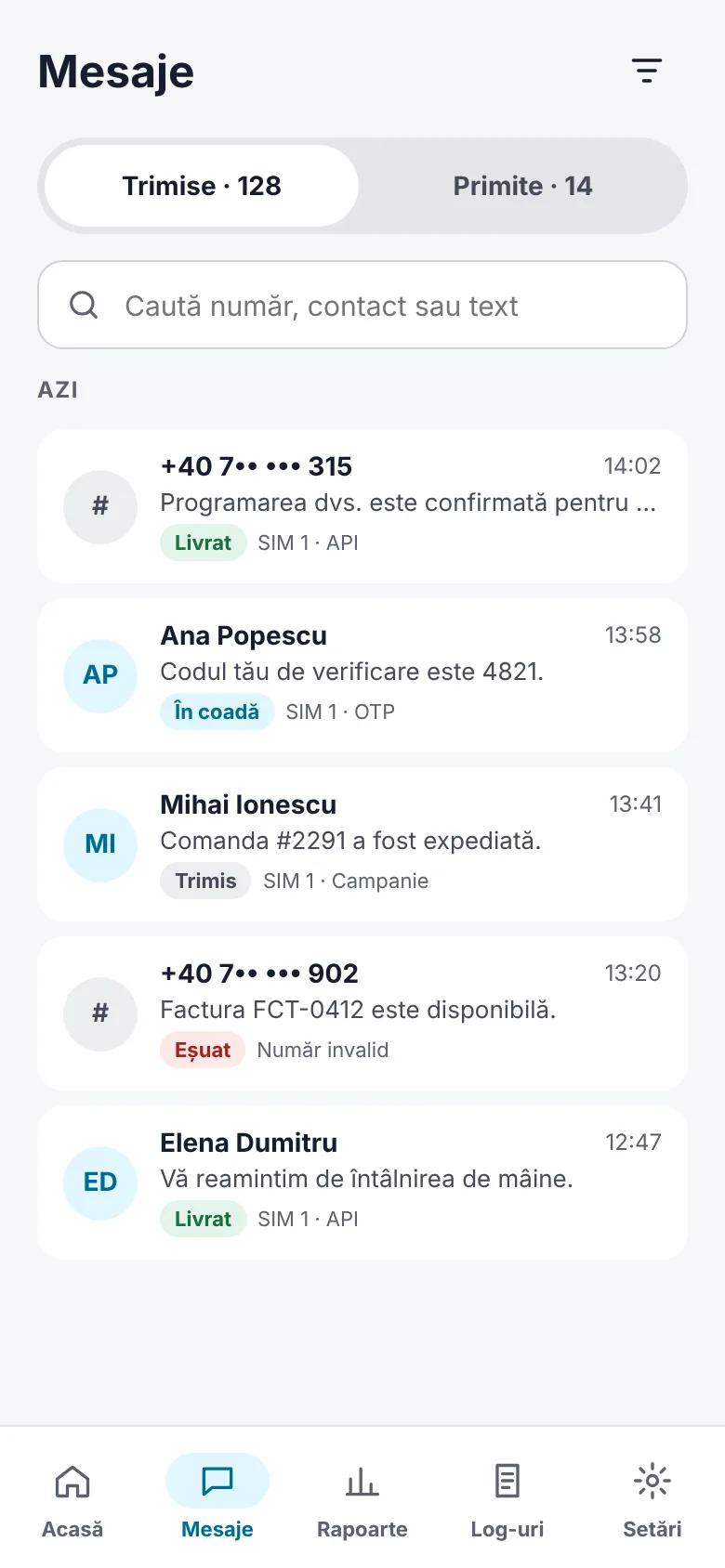
The gateway's status, every message and its route, and the period's reports.
Home: status and today's counters
Sent and received messages
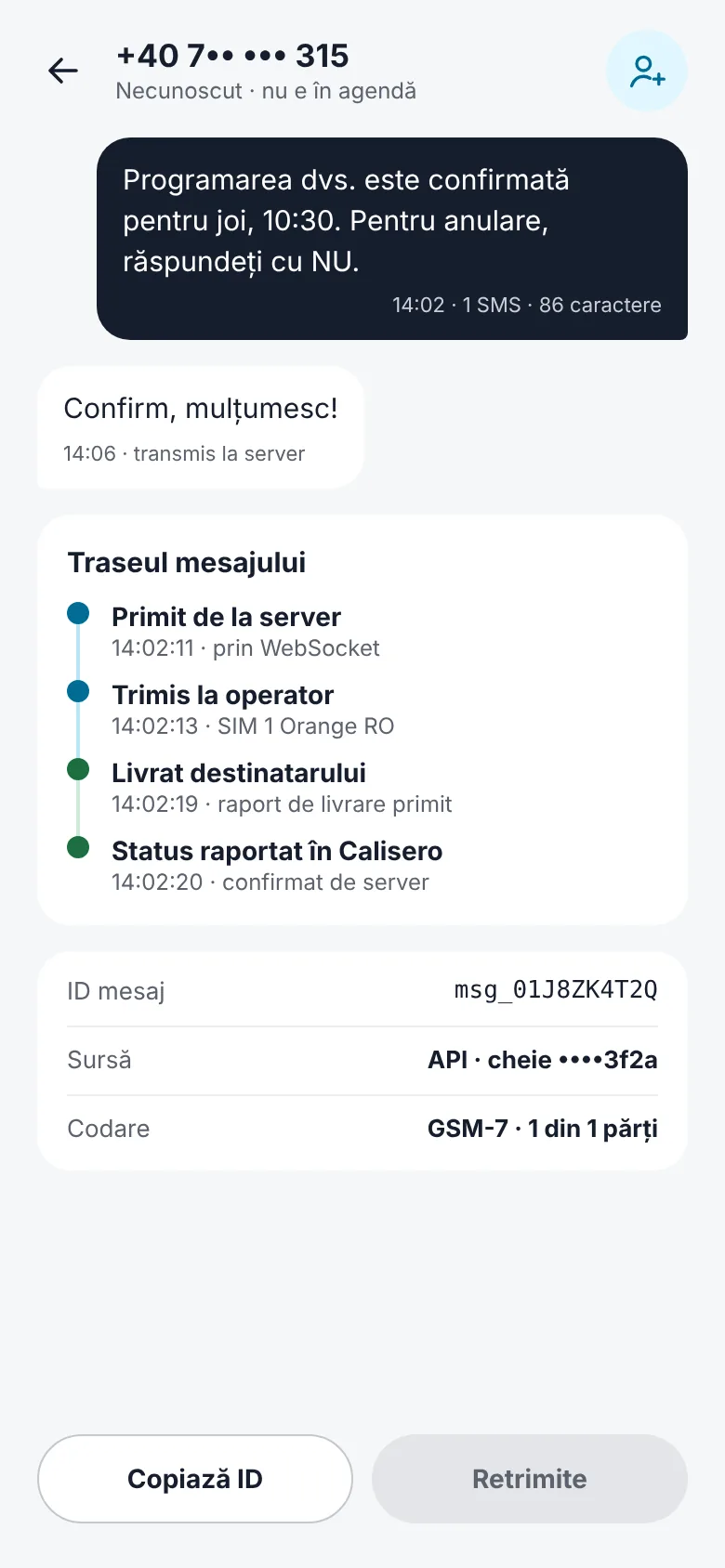
Message detail and delivery route
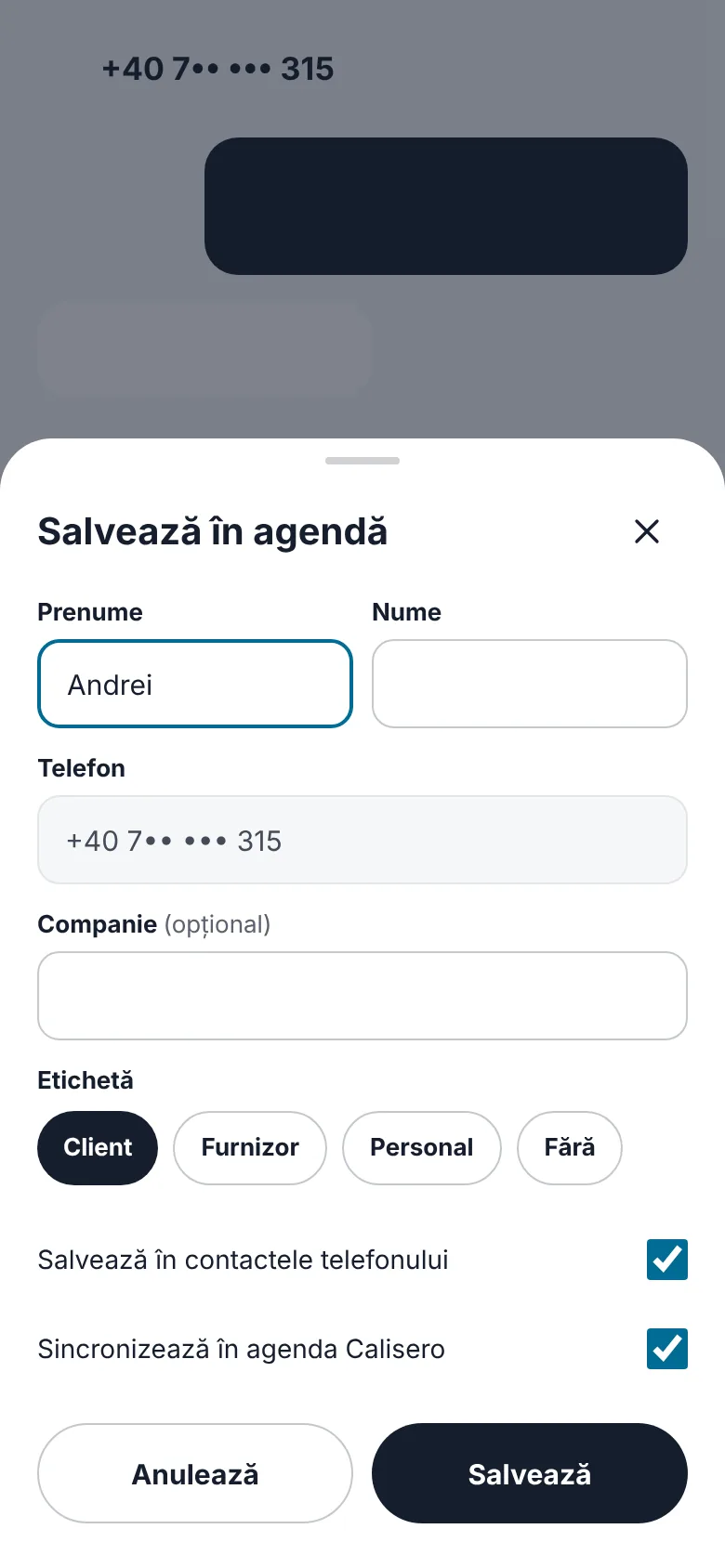
Saving a sender to the contacts
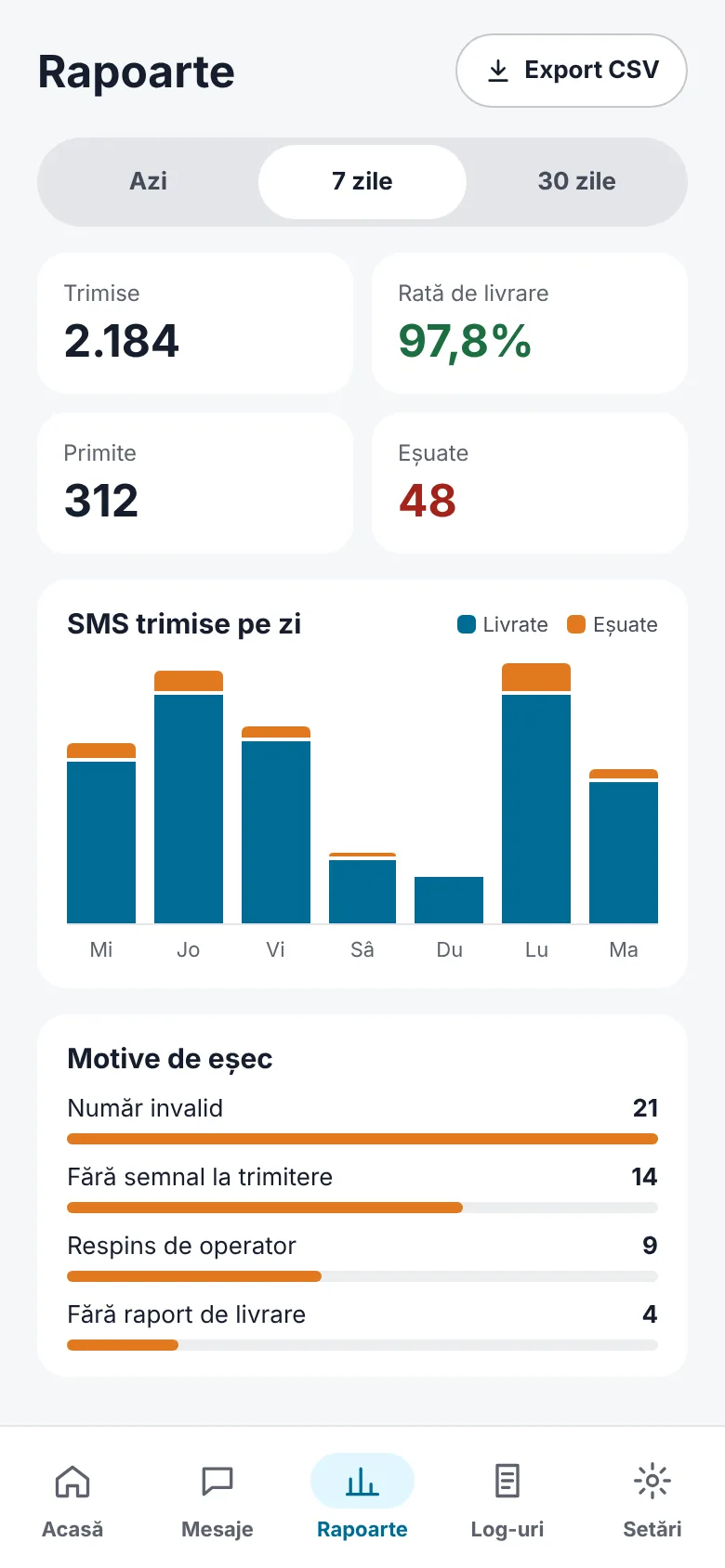
Reports for today, 7 or 30 days
When something stops the gateway, the app says what happened and what to do.
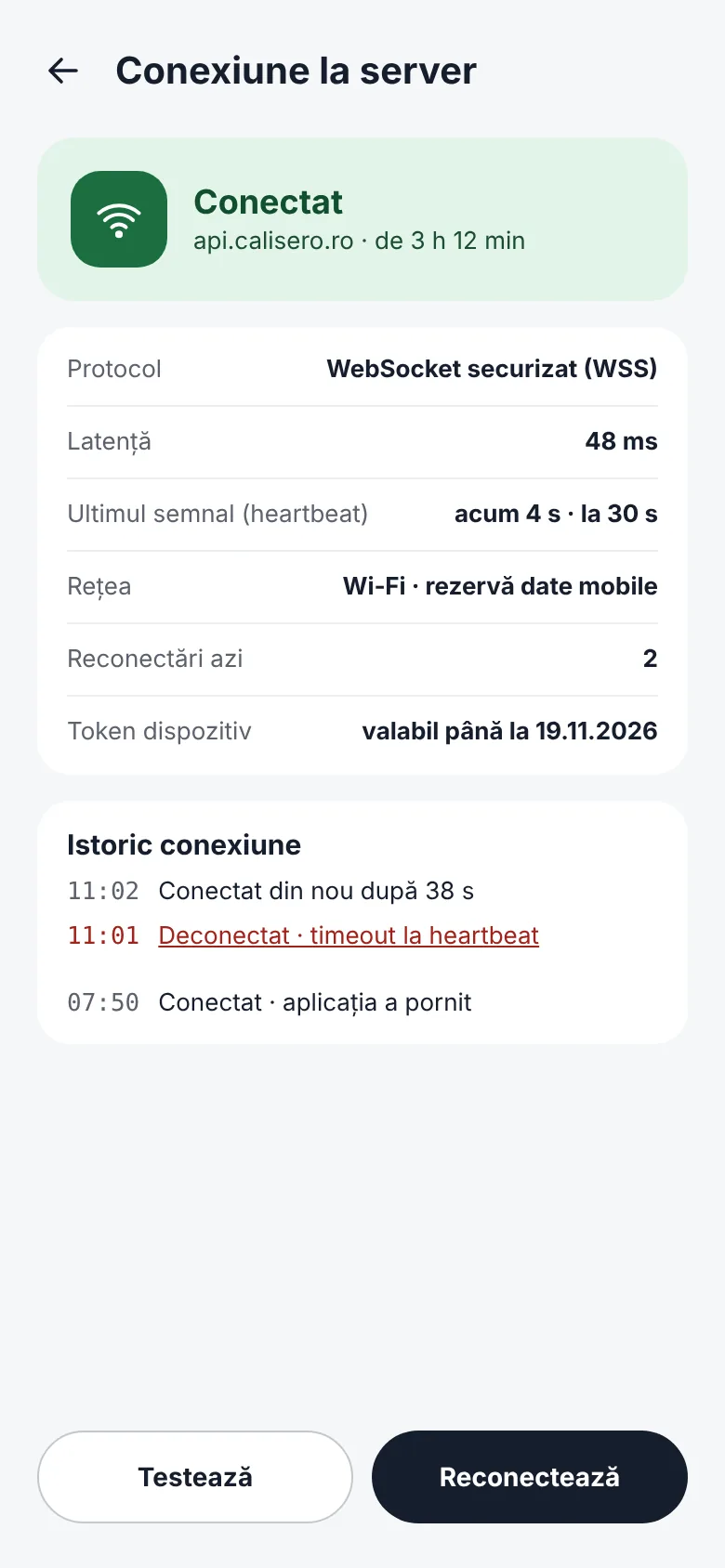
Connection to the server
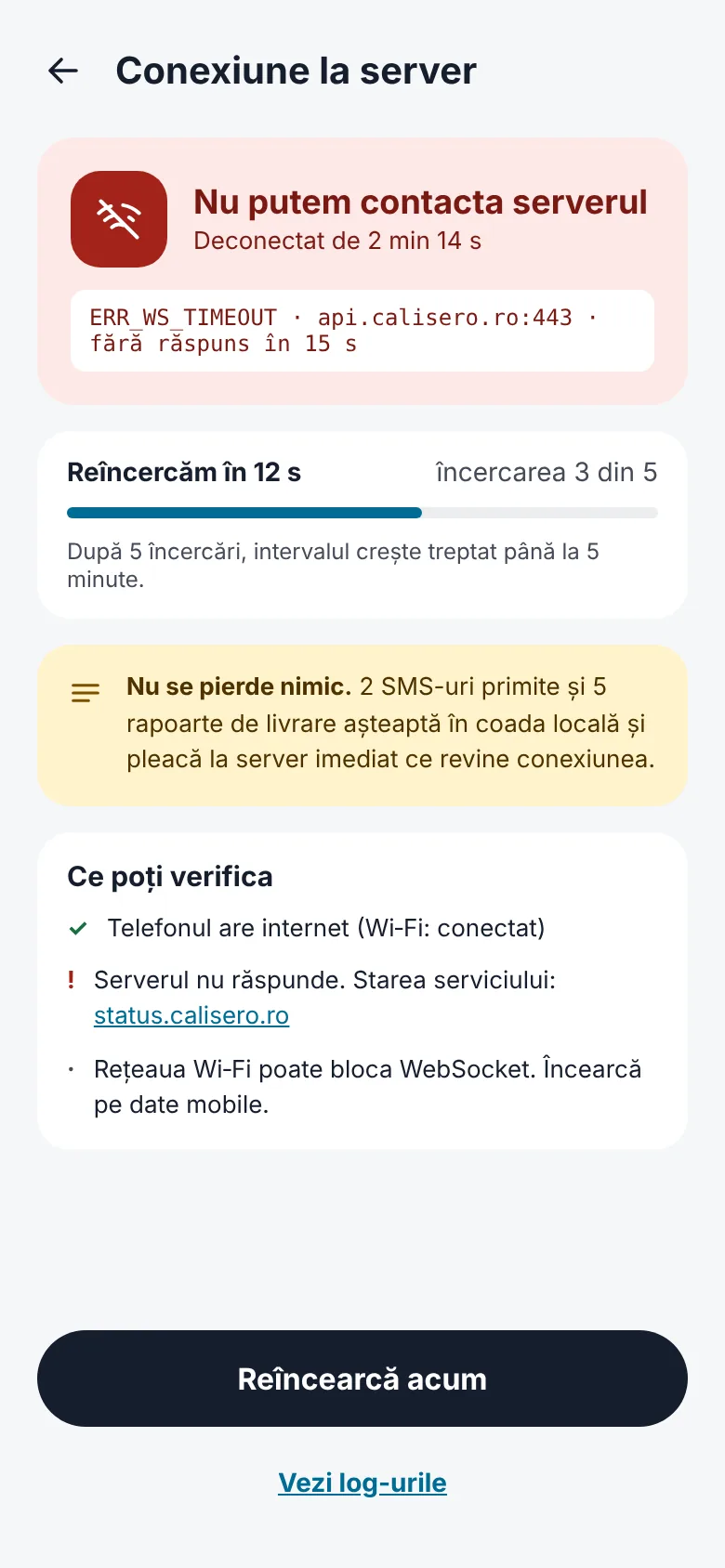
Communication error and retries
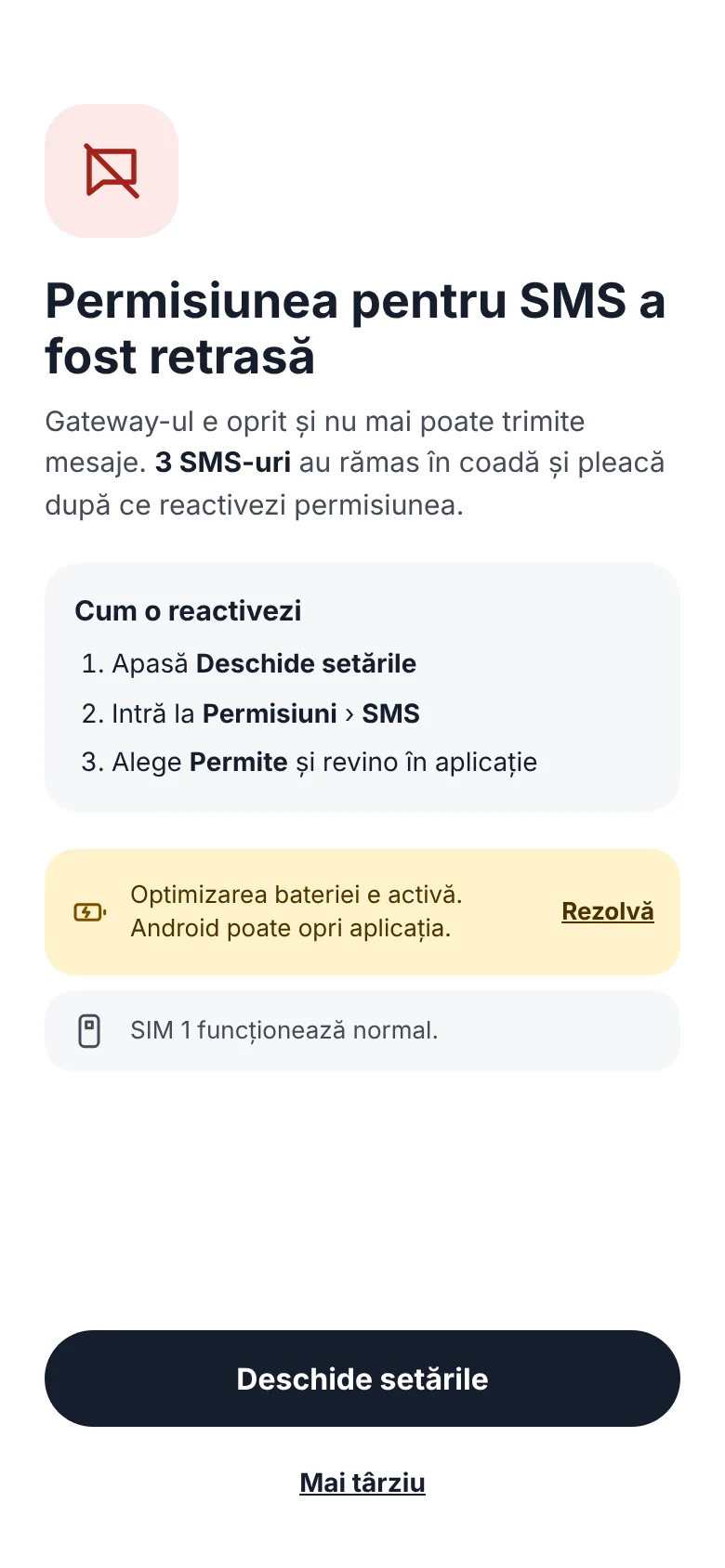
Revoked permission
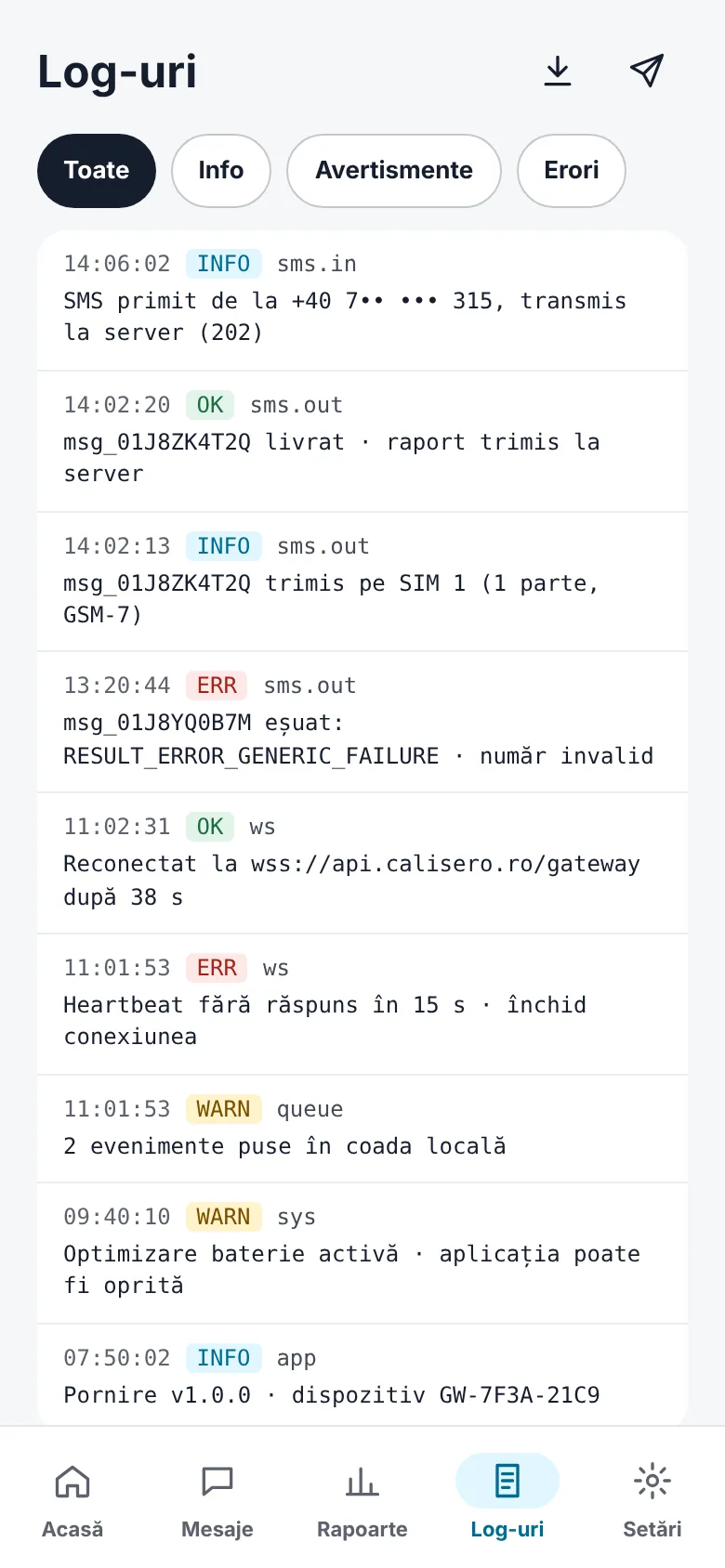
Logs, filtered by level
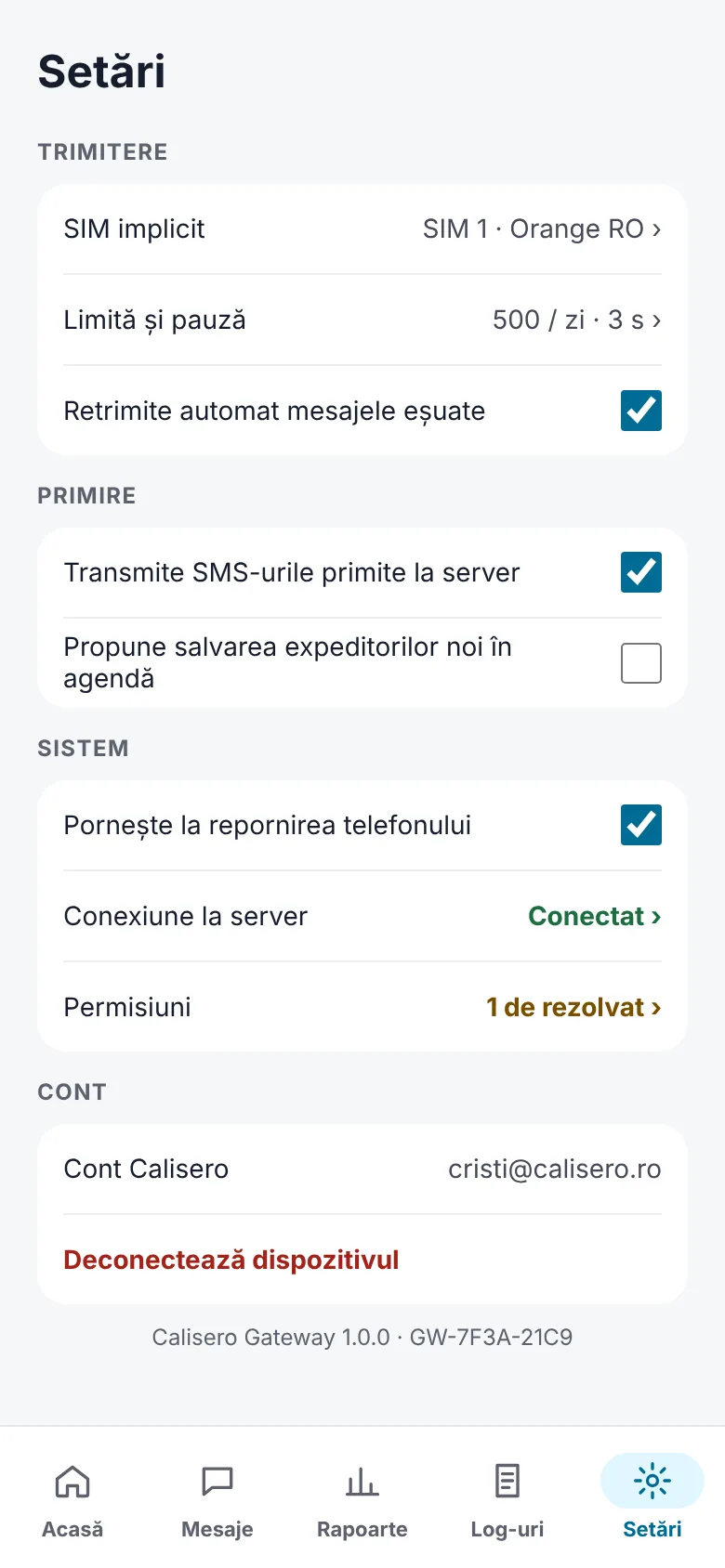
Settings
Recipients see the phone number of your SIM card, so they can reply or call back. Dual SIM phones send from the card you choose.
The replies that reach the gateway's SIM are forwarded to Calisero with their sender and time, so the conversation stays in one place.
Messages and delivery reports wait in a local queue and are confirmed one by one, so a lost connection, a closed app or a restarted phone loses nothing.
The phone keeps to the limit you set and waits between messages even when more arrive at once, which protects the SIM card from being blocked by the carrier.
Every message has its route — received, sent to the carrier, delivered, reported — and the app adds up the day, the week or the month, failure reasons included.
The app keeps a secure connection to the server, reconnects by itself and warns you when a permission is revoked or the server cannot be reached.
Price at launch
€0.01 / SMS
Per SMS sent through your phone, excluding VAT.
Device setup is free.
Sending from the SIM card also uses your plan with the carrier.
Carriers may block a SIM card that sends too many messages in a short time: keep the daily limit within your plan and use the gateway for transactional messages, the way the terms describe them.
Step-by-step guides for setting up the phone and keeping the gateway running.

Educational
From a phone out of the box to the first SMS sent through Calisero from your own SIM card: permissions, QR code, choosing the SIM and the daily limits.

Educational
A message's route through your phone, what each status means, how the limits and the local queue work and what to check when the gateway stops sending.
Create an account and get €1 test credit, with no obligation.
Try it now